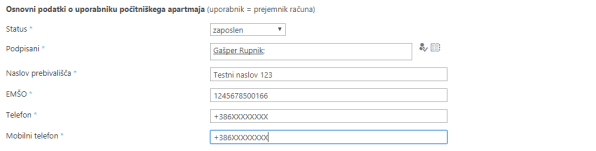
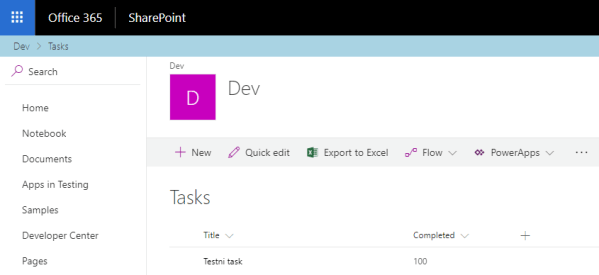
Let’s imagine that we have SharePoint PeoplePicker and we want to fill some additional fields with user properties from AD or some other systems (HRM, DB etc.) when user is selected. We want to use client side scripting for better user experience and responsiveness without postback. Continue reading “Run custom JavaScript code when user is selected from PeoplePicker”
Change default New Item button inside SharePoint Calendar
Lets take a look how we can change default New Item button from SharePoint Calendar to something special -> we can simply hide it, disable it or replace it with two different buttons with custom URL inside it. In my example here I take last scenario. It works in SharePoint 2016 too.
So in my example I want to have two different new Item buttons because on SharePoint Calendar I have two different content types with different batch of fields:
- Preko razpisa: in a correlation with content type ID
0x0102002F433EA5305941B49ADAFE07A743868900126C566CEE7FCE48A0C51A4EE40CB2C9
- Izven razpisa: in a correlation with content type ID
0x0102005F244A3297F54F898B6BE2FFB5B11B0500E22EDFE8E3F74045AF07B08DED229B1E
All will be done in JavaScript code so we need to add reference to our custom JS file named PocitniskeKapacitete.js. Continue reading “Change default New Item button inside SharePoint Calendar”
SPFx – Office UI Fabric React – TagPicker – Item Limit
Inside Office UI Fabric React you could find TagPicker. For example, you could use it for country picker. In this scenario you would like to allow single selection mode on it.
In a correlation with office-ui-fabric-react fix #1304 they added property itemLimit on the basePicker and logic to not render the autofill “input” if the itemLimit is defined and equal to internal item count.
But inside last SPFx Yeoman Web Part template there is not yet this fix included in sp-office-ui-fabric-core, so you have to implement it by yourself. In example below I want to share with you my solution for this problem. Continue reading “SPFx – Office UI Fabric React – TagPicker – Item Limit”
SharePoint 2016 WFE stopped working after Office 2016 installed on same server
One day after developing document library file template solution on my SharePoint 2016 dev machine, all SharePoint web application pools started to crash, SharePoint services could not started, SharePoint PowerShell snapins could not be loaded.
Only change in server configuration before that tragic moment was installation of Microsoft Office 2016 package.
All google results currently point to bad application pool account or wrong permission to SQL database. But this would be a little wierd because no changes were made in that way.
After inspection a situation from logs I found out that SharePoint 2016 simply forgets where it’s installed after Microsoft Office 2016 installation. Continue reading “SharePoint 2016 WFE stopped working after Office 2016 installed on same server”
SloSPUG – January 2018: SharePoint Framework
Yesterday I spoke at Slovenian SharePoint User Group (#SloSPUG) January meet, organized by my coworker at @kompasxnet and MVP for Office Servers and Services Robert Vončina (@R0b3r70SP) about SharePoint Framework and now I want to share to all of you my presentation with notes in separated file and demos from my GitHub.
Continue reading “SloSPUG – January 2018: SharePoint Framework”
SPFx React Controls – Placeholder Control
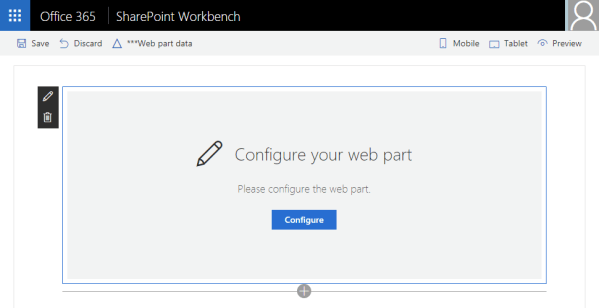
Last SPFx React Control for now is Placeholder Control which can be used to show a message that the web part still has to be configured.
We can start with new SPFx project:
yo @microsoft/sharepoint
Select WebPart as client-side component.
After project is created, install next dependency to your project. This is for SPFx React Controls.
npm install @pnp/spfx-controls-react --save --save-exact
Open project within Visual Studio Code. Continue reading “SPFx React Controls – Placeholder Control”
SPFx React Controls – FileTypeIcon Control
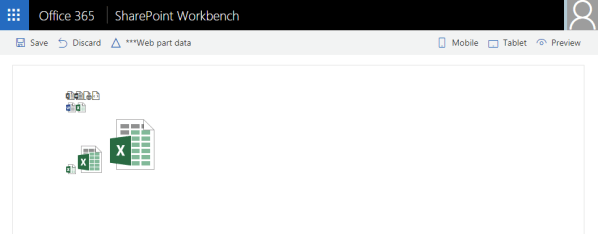
Next SPFx React Control is FileTypeIcon Control. With this control you can show a message that the web part still has to be configured.
We can start with new SPFx project:
yo @microsoft/sharepoint
Select WebPart as client-side component.
After project is created, install next dependency to your project. This is for SPFx React Controls.
npm install @pnp/spfx-controls-react --save --save-exact
Open project within Visual Studio Code. Continue reading “SPFx React Controls – FileTypeIcon Control”
SPFx React Controls – ListView Control
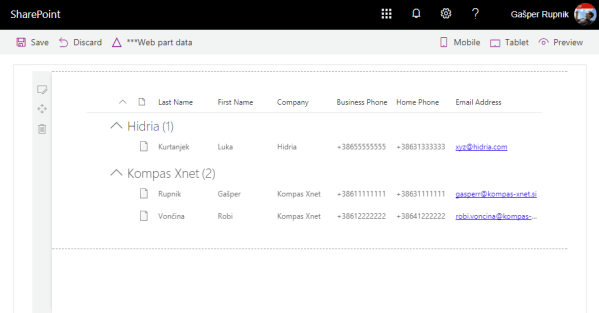
My best SPFx React Control is ListView Control. With this control we can get latest native SP ListView within our SPFx WebPart.
We can start with new SPFx project:
yo @microsoft/sharepoint
Select WebPart as client-side component.
After project is created, install next dependency to your project. This is for SPFx React Controls.
npm install @pnp/spfx-controls-react --save --save-exact
Open project within Visual Studio Code. Continue reading “SPFx React Controls – ListView Control”
SPFx React Controls – SiteBreadcrumb Control
Today I want to show you second SPFx React Control – SiteBreadcrumb Control. With this control we can get breadcrumbs for our SharePoint Online page or site.
We can start with new SPFx project:
yo @microsoft/sharepoint
Select Extension as client-side component.
After project is created, install next dependency to your project. This is for SPFx React Controls.
npm install @pnp/spfx-controls-react --save --save-exact
Open project within Visual Studio Code. Continue reading “SPFx React Controls – SiteBreadcrumb Control”
SPFx React Controls – WebPartTitle Control
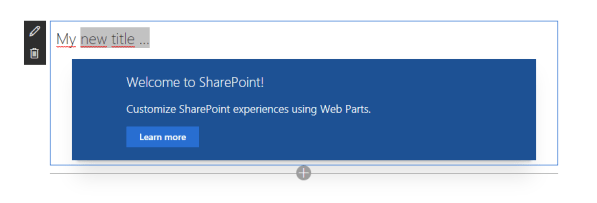
In the past month we get new SPFx React Controls which we can use it in our SharePoint Framework projects. I want to show you quick example how you can use first of it – WebPartTitle control.
The purpose of this control is ability of changing web part title inline when the page is in edit mode. Continue reading “SPFx React Controls – WebPartTitle Control”