My Four NTK 2022 Sessions – Published at Last

Back in 2022, I had one of my most active conference years ever.
I delivered four separate talks at the NTK conference—covering .NET MAUI, Blazor, cross-platform development, and even a deep dive into one of the very first production .NET MAUI apps in Slovenia.

For various reasons, I never managed to publish these sessions on my blog, even though I did that regularly in previous years. So today I’m finally fixing that and adding all four NTK 2022 talks here—better late than never.

After 2022, I took a two-year break from speaking…
…but this year, I’m back on stage again. 😊

Below are summaries of all four talks in the order they were delivered.


1) Build a Mobile or Desktop App with .NET MAUI

📍 Europa B+D
📑 Slides: https://rasper87.blog/wp-content/uploads/2025/11/1_ustvarimobilnoalinamiznodotnetmaui.pdf

This session introduced the fundamentals of .NET MAUI, Microsoft’s modern cross-platform framework that allows developers to build native mobile and desktop applications from a single shared codebase.

Key topics:

  • One project for Android, iOS, Windows, macOS, and Linux
  • Native access to device-specific features
  • UI built with XAML that compiles to native controls
  • Live demos covering:
    • layouts
    • navigation
    • REST API calls
    • using a local SQLite database
    • handling platform-specific features
  • Introduction to MAUI + Blazor Hybrid, enabling HTML/CSS/C# UI inside a native MAUI shell

The goal was to give attendees a clear picture of how MAUI simplifies cross-platform development and why it’s becoming a key part of the .NET ecosystem.


2) .NET MAUI Blazor – Build a Universal App with HTML, CSS, and C#

📍 Emerald 1
📑 Slides: https://rasper87.blog/wp-content/uploads/2025/11/2_mauiblazor.pdf

The second session focused on the powerful combination of .NET MAUI + Blazor, showing how developers can build a single codebase that runs as:

  • a desktop app
  • a mobile app
  • and even a web app

all by using HTML, CSS, and C#.

Highlights:

  • Explanation of MAUI Blazor architecture
  • Benefits of reusing the same components across platforms
  • How BlazorWebView integrates web UI inside a native MAUI app
  • Multiple live demos demonstrating shared UI logic

The session showed how MAUI Blazor provides a path for .NET developers who prefer web technologies but still want native performance and full device access.

Continue reading “My Four NTK 2022 Sessions – Published at Last”

Bringing Back My .NET MAUI Content – Starting With an Older Video (in Slovenian)

A few days ago I realized that although I’ve been actively following .NET MAUI since the very first preview releases, my blog doesn’t really show that story. In the last few years I simply didn’t have enough time to keep this place updated, which means that a lot of MAUI-related content never made it here.

So, let’s start fixing that.

Today I’m sharing a short video I recorded three years ago, back when I was still working in one of my previous companies (not my most recent one). It’s not a deeply technical, developer-oriented presentation, but more of a high-level overview that introduces the platform and what it enables.

Video: https://www.youtube.com/watch?v=WaGi6dnsTTI

Why .NET MAUI matters

.NET MAUI is a cross-platform framework that allows you to build a single application from one shared codebase, and run it on:

  • Windows
  • macOS
  • Linux
  • iOS
  • Android

This means that the same logic, UI structure, and project architecture can power desktop and mobile experiences at the same time.

And if you combine .NET MAUI with Blazor, you push this even further — a single codebase can serve:

  • Desktop apps
  • Mobile apps
  • Web applications

All with shared components, shared UI logic, and shared development patterns.

About the video

Unfortunately, the video is recorded in Slovenian and not in English — sorry to all my non-Slovenian readers — but it still gives a good introductory overview of the concepts, goals, and the direction Microsoft was taking with MAUI at the time.

Even though the video is older, the core ideas remain relevant, and it’s a nice warm-up for all the new MAUI-related content I plan to publish here.

More MAUI content coming soon

I’ve been following .NET MAUI closely from the very beginning, experimenting with previews, RC versions, and release builds. Now that I’m restarting my writing cadence, I’ll finally start sharing more of that knowledge here.

More articles, samples, and insights on .NET MAUI and Blazor Hybrid apps are coming — I promise.

That’s all folks!

Cheers!
Gašper Rupnik

{End.}

Building a .NET AI Chat App with Microsoft Agent Framework and Aspire Orchestration

Creating a fully functional AI Chat App today doesn’t have to take weeks.
With the new Microsoft Agent Framework and .NET Aspire orchestration, you can set up a complete, observable, and extensible AI solution in just a few minutes — all running locally, with built-in monitoring and Azure OpenAI integration.

If you’ve experimented with modern chat applications, you’ve probably noticed they all share a similar design.
So instead of reinventing the wheel, we’ll leverage the elegant Blazor-based front end included in Microsoft’s AI templates — and focus our energy where it matters most: the intelligence and orchestration behind it.

But where things get truly exciting is behind the scenes — where you can move from a simple chat client to a structured, observable AI system powered by Microsoft Agent Framework and .NET Aspire orchestration.

Why Use the Agent Framework?

The Microsoft Agent Framework brings much-needed architectural depth to your AI solutions. It gives you:

  • Separation of concerns – keep logic and tools outside UI components
  • Testability – verify agent reasoning and tool behavior independently
  • Advanced reasoning – support for multi-step decision flows
  • Agent orchestration – easily coordinate multiple specialized agents
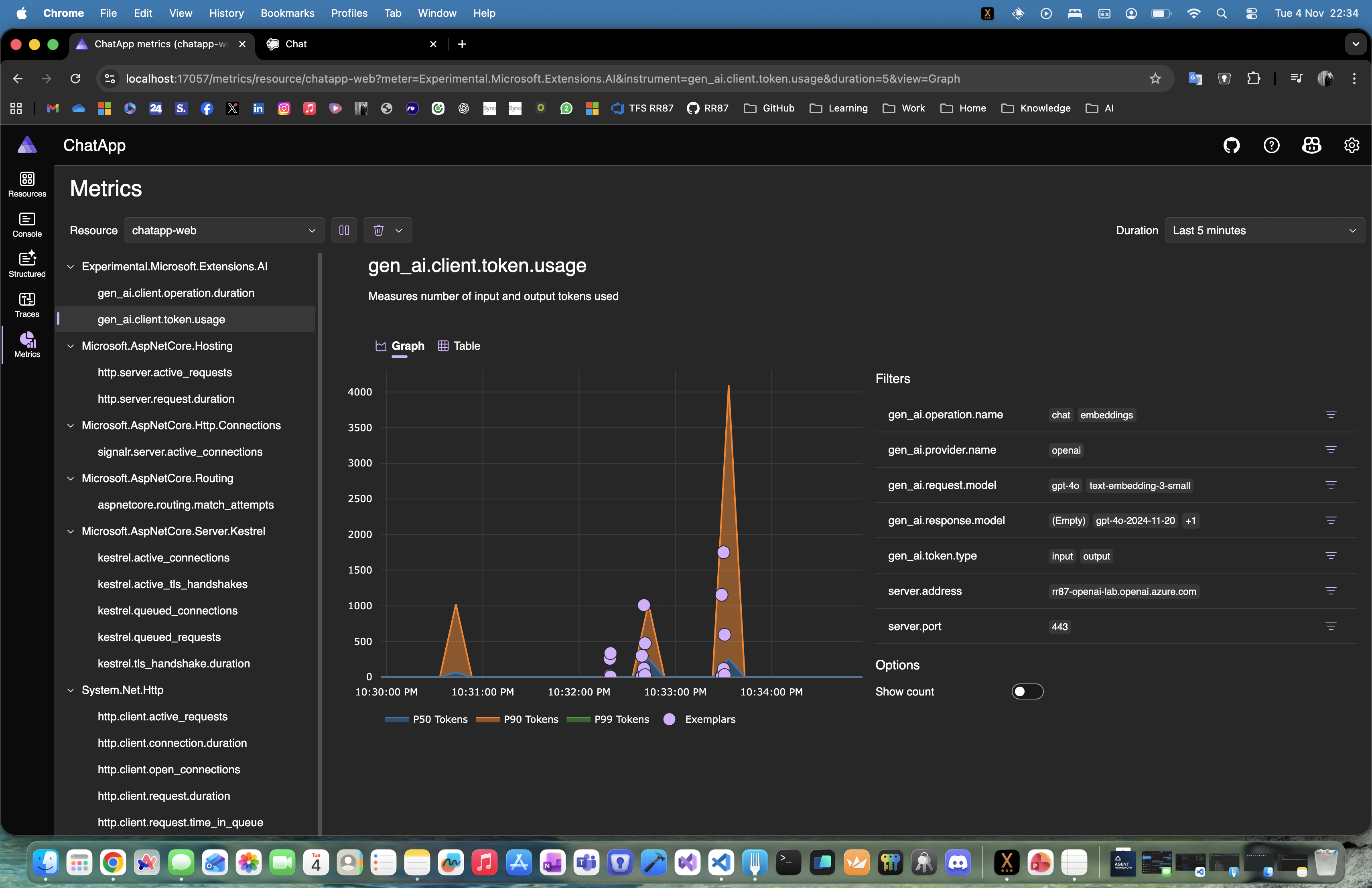
  • Deep observability – gain insight into every AI operation and decision

Essentially, it lets you transform a plain chat app into an intelligent, composable system.

Why .NET Aspire Makes It Even Better

One of the best parts about using the AI templates is that everything runs through .NET Aspire.
That gives you:

  • Service discovery between components
  • Unified logging and telemetry in the Aspire dashboard
  • Health checks for every service
  • Centralized configuration for secrets, environment variables, and connection settings

With Aspire, you get orchestration, observability, and consistency across your entire local or cloud-ready environment — no extra setup required.

Continue reading “Building a .NET AI Chat App with Microsoft Agent Framework and Aspire Orchestration”

Website Powered by WordPress.com.

Up ↑