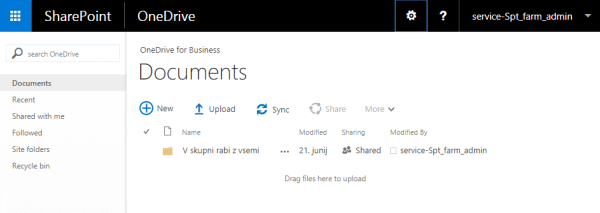
Sometimes we need that the ribbon in SharePoint is shown by default. On some pages like One Drive for Business is hidden and for example we have some specific stuff on its area for which we want to be visible when user come to that page.
We can manually show it with a Show Ribbon button in the Settings Menu.
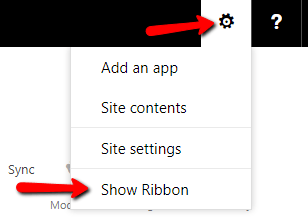
But we want to show it automatically by default. One of the possible solutions is shown below in JavaScript code:
(function ($) {
    function PreveriQueryStringParameter(parameter) {
        if ((window.location.toString().indexOf("?" + parameter) !== -1) || (window.location.toString().indexOf("&" + parameter) !== -1)) {
            return true;
        } else {
            return false;
        }
    }

    $(document).ready(function () {
        if (($("div#DeltaSPRibbon").children().length == 0) && (!PreveriQueryStringParameter('ShowRibbon'))) {
            STSNavigate(StURLSetVar2(ajaxNavigate.get_href(), 'ShowRibbon', 'true'));
        }
    });
})(jQuery);
Cheers!
Gašper Rupnik
{End.}


 RaspeR87's Blog