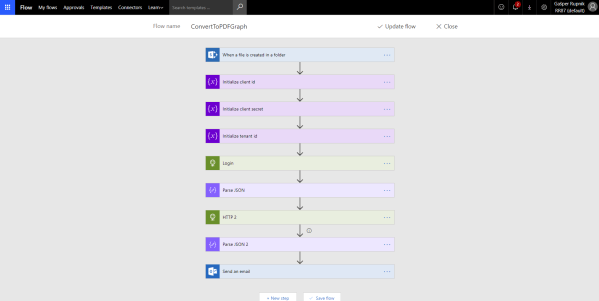
Hi there. You can easly convert DOCX file inside of SharePoint Library to PDF if you use OneDrive functionality.
In Flow you could use Convert file step from OneDrive which is currently still in Preview but no worries.
You have to copied it to OneDrive, convert to PDF and copied back to SharePoint. Continue reading “Convert DOCX file inside of SharePoint Library to PDF with Flow and Graph API (no need to use OneDrive)”






 RaspeR87's Blog