Building a .NET AI Chat App with Microsoft Agent Framework and Aspire Orchestration

Creating a fully functional AI Chat App today doesn’t have to take weeks.
With the new Microsoft Agent Framework and .NET Aspire orchestration, you can set up a complete, observable, and extensible AI solution in just a few minutes — all running locally, with built-in monitoring and Azure OpenAI integration.

If you’ve experimented with modern chat applications, you’ve probably noticed they all share a similar design.
So instead of reinventing the wheel, we’ll leverage the elegant Blazor-based front end included in Microsoft’s AI templates — and focus our energy where it matters most: the intelligence and orchestration behind it.

But where things get truly exciting is behind the scenes — where you can move from a simple chat client to a structured, observable AI system powered by Microsoft Agent Framework and .NET Aspire orchestration.

Why Use the Agent Framework?

The Microsoft Agent Framework brings much-needed architectural depth to your AI solutions. It gives you:

  • Separation of concerns – keep logic and tools outside UI components
  • Testability – verify agent reasoning and tool behavior independently
  • Advanced reasoning – support for multi-step decision flows
  • Agent orchestration – easily coordinate multiple specialized agents
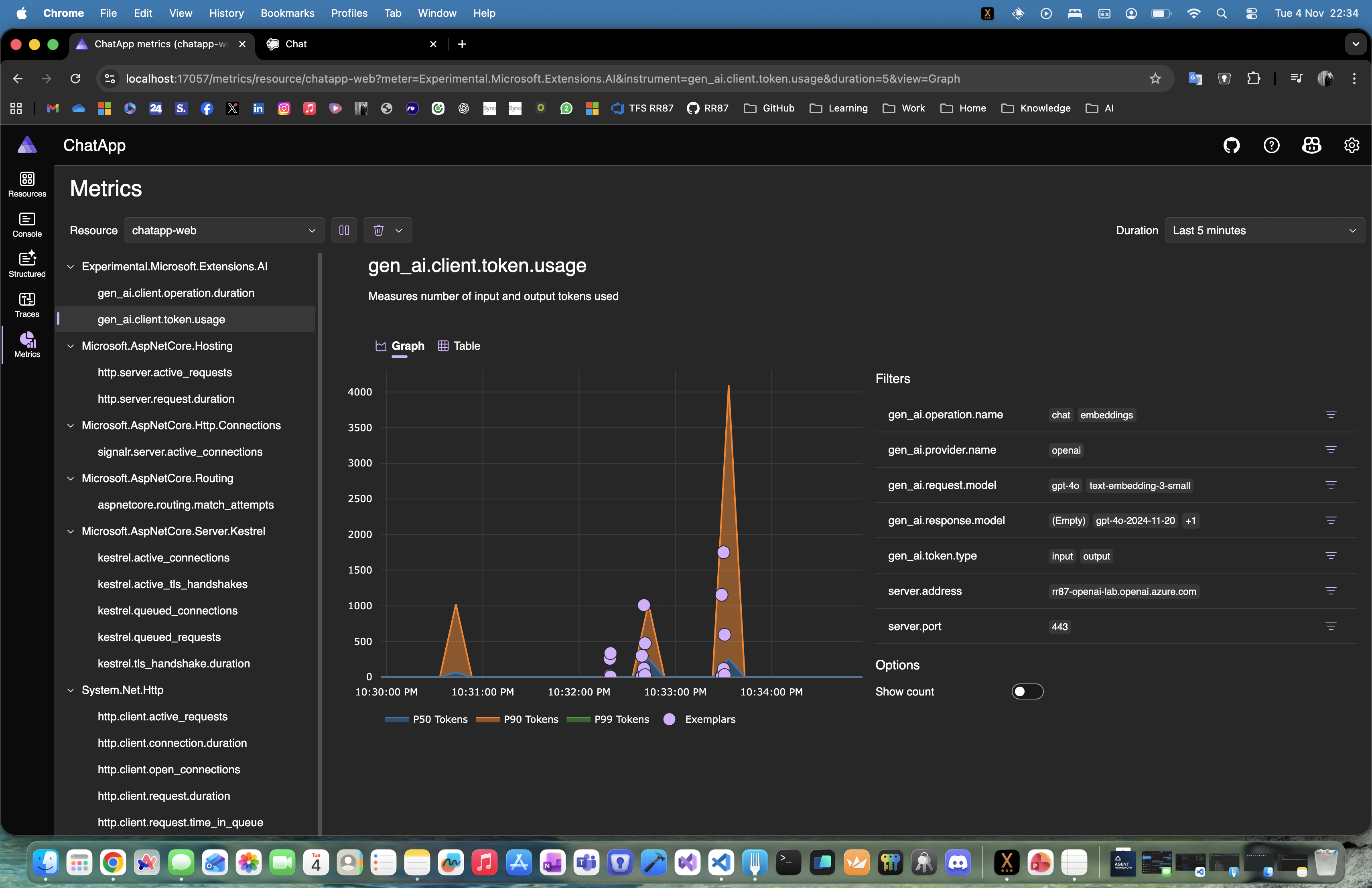
  • Deep observability – gain insight into every AI operation and decision

Essentially, it lets you transform a plain chat app into an intelligent, composable system.

Why .NET Aspire Makes It Even Better

One of the best parts about using the AI templates is that everything runs through .NET Aspire.
That gives you:

  • Service discovery between components
  • Unified logging and telemetry in the Aspire dashboard
  • Health checks for every service
  • Centralized configuration for secrets, environment variables, and connection settings

With Aspire, you get orchestration, observability, and consistency across your entire local or cloud-ready environment — no extra setup required.

Continue reading “Building a .NET AI Chat App with Microsoft Agent Framework and Aspire Orchestration”

Running Azure Functions locally with .NET Aspire + Azurite

You can orchestrate an Azure Function right inside .NET Aspire, complete with a local Azurite storage emulator and a single place (the Aspire dashboard) to observe everything. This post walks through a minimal setup using the isolated worker model on .NET 9.

What we’ll build

  • A simple HTTP-triggered Azure Function (/api/Hello)
  • An Azurite container for Storage (Blob/Queue/Table)
  • An Aspire AppHost that:
    • starts Azurite,
    • wires the Function’s AzureWebJobsStorage,
    • exposes the Function on port 7071

Create the project

# Templates
dotnet new install Microsoft.Azure.Functions.Worker.ProjectTemplates
dotnet new func -n AzureFunction -F net9.0

dotnet new install Microsoft.Azure.Functions.Worker.ItemTemplates
dotnet new http -n Hello -A Anonymous -p:n AzureFunction

# Aspire orchestration
dotnet new aspire-apphost -n AppHost
dotnet new aspire-servicedefaults -n ServiceDefaults

# (macOS) Core Tools for local runs
brew tap azure/functions
brew install azure-functions-core-tools@4
echo 'export PATH="/opt/homebrew/opt/azure-functions-core-tools@4/bin:$PATH"' >> ~/.zshrc
source ~/.zshrc

func --version

Folder layout

09_AzureFunction/
├─ AppHost/
├─ ServiceDefaults/
├─ AzureFunction.csproj
├─ Program.cs
├─ Hello.cs
├─ host.json
├─ local.settings.json
└─ README.md
Continue reading “Running Azure Functions locally with .NET Aspire + Azurite”

Website Powered by WordPress.com.

Up ↑