From Aspire to Docker Compose in one command

One of my favorite Aspire tricks is publishing your local orchestration to a plain Docker Compose file. No bespoke YAML hand-crafting: define your resources in C#, run one command, and get a production-shaped compose you can run anywhere Docker is available.

This post shows a tiny demo that publishes PostgreSQL, Redis, and the Aspire Dashboard to Docker Compose.

AppHost: enable the Docker publisher

var builder = DistributedApplication.CreateBuilder(args);

// Enables Docker publisher (gives the compose project a stable name)
builder.AddDockerComposeEnvironment("aspire-docker-demo");

var postgres = builder.AddPostgres("database")
    .WithDataVolume();

var database = postgres.AddDatabase("demo-db");

var redis = builder.AddRedis("cache");

builder. Build().Run();

What this does

  • AddDockerComposeEnvironment("aspire-docker-demo")
    Opts the app into the Docker publisher and sets the Compose project name (used for networks, volume names, etc.).
  • Postgres + volume
    WithDataVolume() ensures a named Docker volume is created for data durability.
  • AddDatabase("demo-db")
    Declares a logical DB (helpful when apps bind to it; not strictly needed for Compose output).
  • Redis
    Adds a simple cache service.

Publish to Docker Compose

From the AppHost directory:

aspire publish -o docker-compose-artifacts

This generates a docker-compose.yaml (and related files) under ./docker-compose-artifacts/.
Continue reading “From Aspire to Docker Compose in one command”

Developing .NET Aspire inside a Dev Container (VS Code)

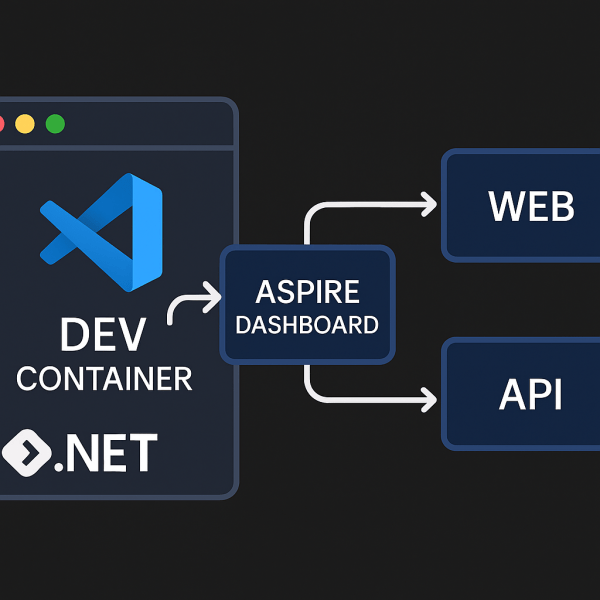
Running .NET Aspire inside a Dev Container gives you a reproducible, fully-tooled environment: Docker, .NET 9 SDK, Aspire CLI, and VS Code extensions—all preconfigured. No more “works on my machine.”

This post shows how to bootstrap an Aspire starter app and wire up a Dev Container so anyone can open the project and hit Run.

1) Create the starter app

dotnet new install Aspire.ProjectTemplates --force
dotnet new aspire-starter -n HelloAspire

You’ll get a solution with:

HelloAspire/
├─ HelloAspire.AppHost/          # Aspire orchestrator
├─ HelloAspire.ApiService/       # Minimal API
├─ HelloAspire.Web/              # Web frontend
├─ HelloAspire.ServiceDefaults/  # Shared defaults
└─ HelloAspire.sln

2) Add a Dev Container

Create .devcontainer/devcontainer.json:

// For format details, see https://aka.ms/devcontainer.json. For config options, see the
// README at: https://github.com/devcontainers/templates/tree/main/src/dotnet
{
  "name": ".NET Aspire",
  "image": "mcr.microsoft.com/devcontainers/dotnet:9.0-bookworm",
  "features": {
    "ghcr.io/devcontainers/features/docker-in-docker:2": {},
    "ghcr.io/devcontainers/features/powershell:1": {}
  },

  "hostRequirements": {
    "cpus": 8,
    "memory": "32gb",
    "storage": "64gb"
  },

  "onCreateCommand": "curl -sSL https://aspire.dev/install.sh | bash",
  "postStartCommand": "dotnet dev-certs https --trust",

  "customizations": {
    "vscode": {
      "extensions": [
        "ms-dotnettools.csdevkit",
        "GitHub.copilot-chat",
        "GitHub.copilot"
      ]
    }
  }
}
Continue reading “Developing .NET Aspire inside a Dev Container (VS Code)”

Website Powered by WordPress.com.

Up ↑