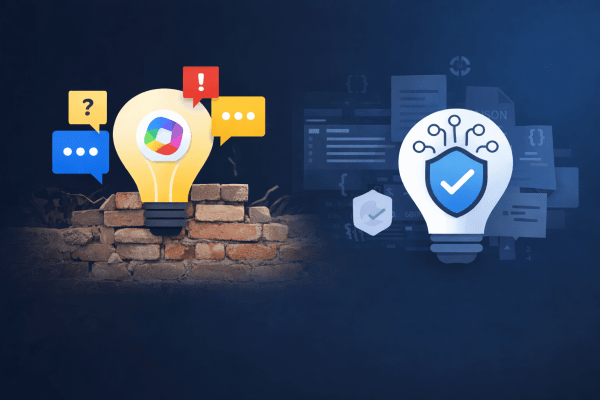
When Low-Code Copilot Agents Hit the Wall — and Why Microsoft 365 Agents Toolkit Matters

I tried to build a trustworthy Copilot agent using Copilot Studio and quickly ran into hard platform limits: inconsistent citations, non-clickable sources, and no reliable control over how answers are rendered. The experience reinforced a familiar truth: low-code works until it suddenly doesn’t.
Microsoft 365 Agents Toolkit and declarative agents exist precisely to solve this problem — and once I switched, everything clicked.


The Original Goal: A Trustworthy Copilot Agent

I started with what seemed like a straightforward goal: build a useful Copilot agent that calls custom backend logic and returns trustworthy, source-backed answers. Not a creative assistant, not a chatty helper — but an agent suitable for regulatory, policy, and compliance questions, where accuracy and traceability matter more than tone.

Naturally, I began with Copilot Studio. It promises low-code extensibility, API integration, and built-in support for sources — exactly what such an agent should need.

And at first, it worked.

But very quickly, I ran into a familiar pattern that anyone who has spent enough time with low-code platforms will recognize:
answers without sources, then answers with sources, then sources that are not clickable, then clickable sources that disappear behind a generic “Sources” button — and finally, no way to reliably control how any of this is rendered.

At that point, the problem was no longer about configuration. It was architectural.


Phase 1 – Copilot Studio: Where Things Start to Break

Copilot Studio is optimized for:

  • conversational flows,
  • orchestration,
  • and productivity scenarios.

That becomes obvious as soon as you try to build something deterministic.

What We Implemented

  • A custom Copilot action
  • Calling a custom WebAPI
  • Returning structured data:
{
"answer": "...",
"sources": [...]
}

On paper, this should be enough.

In practice, it isn’t.

Continue reading “When Low-Code Copilot Agents Hit the Wall — and Why Microsoft 365 Agents Toolkit Matters”

My Four NTK 2022 Sessions – Published at Last

Back in 2022, I had one of my most active conference years ever.
I delivered four separate talks at the NTK conference—covering .NET MAUI, Blazor, cross-platform development, and even a deep dive into one of the very first production .NET MAUI apps in Slovenia.

For various reasons, I never managed to publish these sessions on my blog, even though I did that regularly in previous years. So today I’m finally fixing that and adding all four NTK 2022 talks here—better late than never.

After 2022, I took a two-year break from speaking…
…but this year, I’m back on stage again. 😊

Below are summaries of all four talks in the order they were delivered.


1) Build a Mobile or Desktop App with .NET MAUI

📍 Europa B+D
📑 Slides: https://rasper87.blog/wp-content/uploads/2025/11/1_ustvarimobilnoalinamiznodotnetmaui.pdf

This session introduced the fundamentals of .NET MAUI, Microsoft’s modern cross-platform framework that allows developers to build native mobile and desktop applications from a single shared codebase.

Key topics:

  • One project for Android, iOS, Windows, macOS, and Linux
  • Native access to device-specific features
  • UI built with XAML that compiles to native controls
  • Live demos covering:
    • layouts
    • navigation
    • REST API calls
    • using a local SQLite database
    • handling platform-specific features
  • Introduction to MAUI + Blazor Hybrid, enabling HTML/CSS/C# UI inside a native MAUI shell

The goal was to give attendees a clear picture of how MAUI simplifies cross-platform development and why it’s becoming a key part of the .NET ecosystem.


2) .NET MAUI Blazor – Build a Universal App with HTML, CSS, and C#

📍 Emerald 1
📑 Slides: https://rasper87.blog/wp-content/uploads/2025/11/2_mauiblazor.pdf

The second session focused on the powerful combination of .NET MAUI + Blazor, showing how developers can build a single codebase that runs as:

  • a desktop app
  • a mobile app
  • and even a web app

all by using HTML, CSS, and C#.

Highlights:

  • Explanation of MAUI Blazor architecture
  • Benefits of reusing the same components across platforms
  • How BlazorWebView integrates web UI inside a native MAUI app
  • Multiple live demos demonstrating shared UI logic

The session showed how MAUI Blazor provides a path for .NET developers who prefer web technologies but still want native performance and full device access.

Continue reading “My Four NTK 2022 Sessions – Published at Last”

Website Powered by WordPress.com.

Up ↑