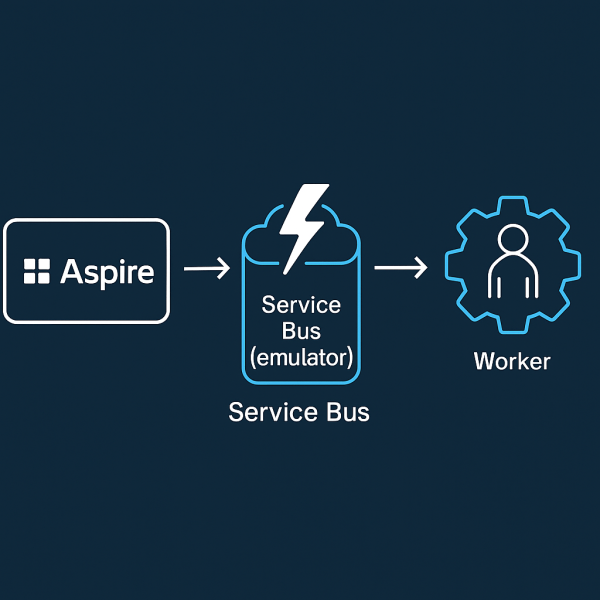
You don’t need a cloud namespace to prototype a queue-driven worker. With .NET Aspire, you can spin up an Azure Service Bus emulator, wire a Worker Service to a queue, and monitor it all from the Aspire dashboard—no external dependencies.
This post shows a minimal setup:
- Aspire AppHost that runs the Service Bus emulator
- A queue (
my-queue) + a dead-letter queue - A Worker Service that consumes messages
- Built-in enqueue commands to test locally
Folder layout
10_AzureServiceBus/
├─ AppHost/ # Aspire orchestration
├─ ServiceDefaults/ # shared logging, health, etc.
├─ WorkerService/ # background processor
└─ README.md
To create it:
dotnet new worker -n WorkerService
dotnet new aspire-apphost -n AppHost
dotnet new aspire-servicedefaults -n ServiceDefaults
AppHost: Service Bus emulator + queues
var builder = DistributedApplication.CreateBuilder(args);

// Add Azure Service Bus
var serviceBus = builder.AddAzureServiceBus("servicebus")
                        .RunAsEmulator(e => e.WithLifetime(ContainerLifetime.Persistent))
                        .WithCommands();

var serviceBusQueue = serviceBus.AddServiceBusQueue("my-queue");
serviceBus.AddServiceBusQueue("dead-letter-queue");

// Add the worker and reference the queue
builder.AddProject<Projects.WorkerService>("workerservice")
    .WithReference(serviceBusQueue)
    .WaitFor(serviceBusQueue);

builder. Build().Run();
 RaspeR87's Blog