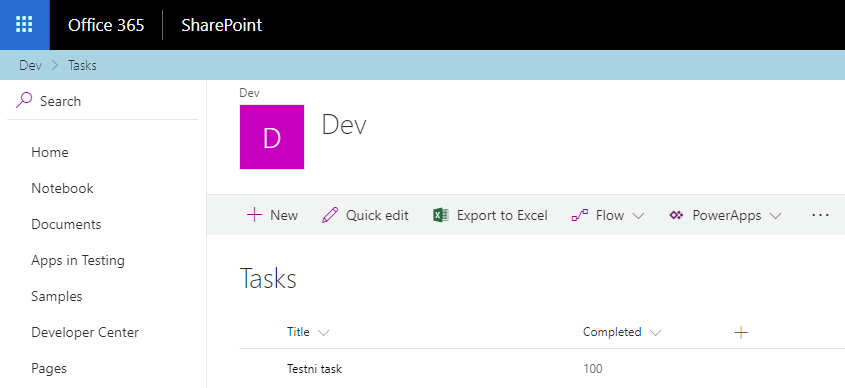
Today I want to show you second SPFx React Control – SiteBreadcrumb Control. With this control we can get breadcrumbs for our SharePoint Online page or site.
We can start with new SPFx project:
yo @microsoft/sharepoint
Select Extension as client-side component.
After project is created, install next dependency to your project. This is for SPFx React Controls.
npm install @pnp/spfx-controls-react --save --save-exact
Open project within Visual Studio Code.
code .
Go to config/config.json file and add the following line to the localizedResources property:
"ControlStrings": "./node_modules/@pnp/spfx-controls-react/lib/loc/{locale}.js"
- HelloWorld.module.scss
- HelloWorld.tsx
- IHelloWorldProps.ts
import ApplicationCustomizerContext from '@microsoft/sp-application-base/lib/extensibility/ApplicationCustomizerContext';

export interface IHelloWorldProps {
    context: ApplicationCustomizerContext;
}
.helloWorld {
    background-color: lightblue;
    padding: 5px;
}
import * as React from 'react';
import styles from './HelloWorld.module.scss';
import { IHelloWorldProps } from './IHelloWorldProps';
import { SiteBreadcrumb } from "@pnp/spfx-controls-react/lib/SiteBreadcrumb";

export default class HelloWorld extends React.Component<IHelloWorldProps, {}> {
  public render(): React.ReactElement<IHelloWorldProps> {
    return (
        <div className={ styles.helloWorld }>
            <SiteBreadcrumb context={this.props.context} />
        </div>
    );
  }
}
import * as React from 'react';
import * as ReactDom from 'react-dom';

import HelloWorld from './components/HelloWorld';
Create _topPlaceholder variable and _onDispose function inside class:
private _topPlaceholder: PlaceholderContent | undefined;

private _onDispose(): void {
    console.log('[HelloWorldApplicationCustomizer._onDispose] Disposed custom nav placeholders.');
}
And modify existing onInit() method with searching for Top placeholder and creating React element inside it from previously created React component:
@override
public onInit(): Promise<void> {

    if (!this._topPlaceholder) {
      this._topPlaceholder =
        this.context.placeholderProvider.tryCreateContent(
          PlaceholderName.Top,
          { onDispose: this._onDispose });

      // The extension should not assume that the expected placeholder is available.
      if (!this._topPlaceholder) {
        console.error('The expected placeholder (Top) was not found.');
        return;
      }

      const element: React.ReactElement<IHelloWorldApplicationCustomizerProperties> = React.createElement(
        HelloWorld,
        {
          context: this.context
        }
      );

      ReactDom.render(element, this._topPlaceholder.domElement);
    }

    return Promise.resolve();
}
This is all folks. Run next command to serve our breadcrumb SPFx extension:
gulp serve --nobrowser
Go to one of your SharePoint Online modern site and append the following query string:
?loadSPFX=true&debugManifestsFile=https://localhost:4321/temp/manifests.js&customActions={"071cbaef-2d2a-4f4a-bd74-cebfc9de7a8a":{"location":"ClientSideExtension.ApplicationCustomizer"}}
Cheers!
Gašper Rupnik
{End.}

 RaspeR87's Blog
Hi, i have tested the code and it work perfectly in debug mode. But when deployed to my tenant i don’t see the breadcrumb. I am using a modern team site,can you help on this please
One key update to this great article. Looks like there is some change in the way ApplicationCustomizerContext import is done in SPFx v1.5.1 compared to the way it was done at the time of this article. If you’re getting an error on assigning context:
const element: React.ReactElement = React.createElement(
HelloWorld,
{
context: this.context
}
);
Modify your import statement in the IHelloWorldProps.ts file as below:
import { ApplicationCustomizerContext } from “@microsoft/sp-application-base”;
the breadcrumb in not visible if i run gulp serve