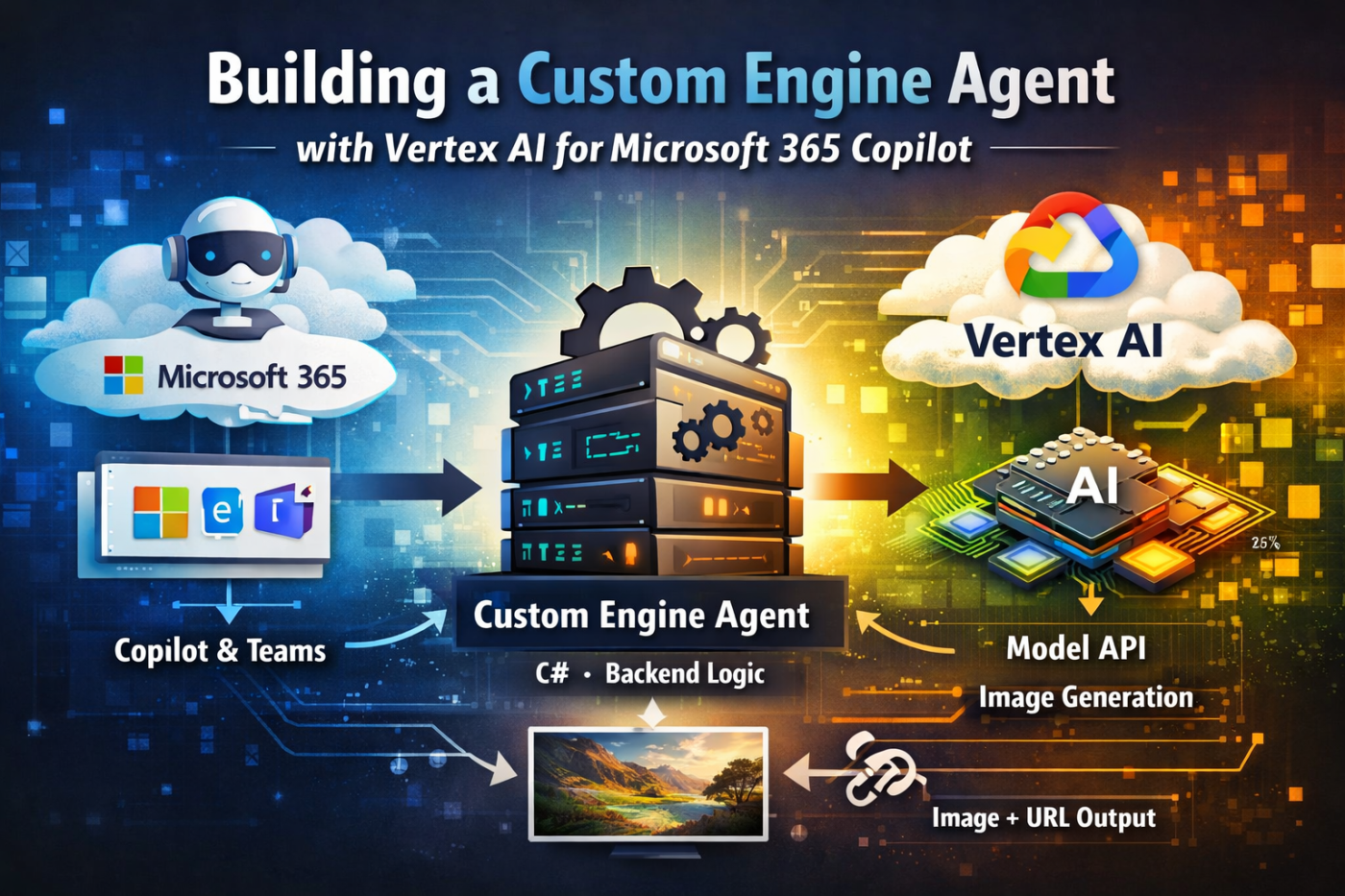
How to design a backend-owned Copilot agent and integrate Google Vertex AI cleanly across cloud boundaries.
Introduction
Extending Microsoft 365 Copilot often starts with declarative agents or lightweight plugins. That works well—until you need full control.
In this project, the goal was different:
- keep orchestration inside a backend we fully own
- integrate an external model provider (Google Vertex AI)
- expose the result through Microsoft 365 surfaces like Teams and Copilot
This led to a Custom Engine Agent architecture, where:
Microsoft handles the channel.
Your backend owns the behavior.
This article focuses on two key areas:
- how to structure a Custom Engine Agent properly
- how to integrate Vertex AI as a first-class backend component
Why a Custom Engine Agent?
Instead of a declarative setup, the system is built as a backend-driven agent that can:
- accept activities from Teams or Copilot
- orchestrate prompt preparation in C#
- call Vertex AI directly
- persist generated assets and metadata
- expose public download URLs
- evolve independently of Microsoft 365 packaging
The key architectural decision:
Keep Microsoft 365 at the boundary — everything else is regular backend code.
High-Level Architecture
Copilot / Teams ↓Custom Engine Agent host (Microsoft Agents SDK) ↓Agent (activity → domain translation) ↓Engine (use case logic) ↓Orchestrator (prompt preparation) ↓Vertex AI client ↓Storage (assets + metadata) ↓Response (image + URL)
Key design rule
- Host → thin
- Agent → channel-aware
- Engine → business logic
- Vertex client → provider integration
Project Structure
src/ agents/ AgentHost/ infra/ AppHost/ ServiceDefaults/ libs/ Contracts/ Engine/ Infrastructure/ Integrations.VertexAI/ Orchestration/ Prompts/ Storage/tests/tools/
This separation enables:
- independent backend testing
- fast debugging
- clear ownership of responsibilities
The Custom Engine Agent Host
var builder = WebApplication.CreateBuilder(args);var requireAuth = builder.Configuration.GetValue<bool>("AgentSdk:EnableAuthentication");builder.AddServiceDefaults();builder.Services.AddHttpClient();builder.Services.AddControllers();builder.Services.AddProblemDetails();builder.Services.AddCore(builder.Configuration, builder.Environment.ContentRootPath);builder.AddAgentApplicationOptions();builder.AddAgent<ImageAgent>();builder.Services.AddSingleton<IStorage, MemoryStorage>();builder.Services.AddA2AAdapter();builder.Services.AddAgentAuthentication(builder.Configuration, requireAuth);var app = builder.Build();if (requireAuth){ app.UseAuthentication(); app.UseAuthorization();}app.MapAgentApplicationEndpoints(requireAuth);app.MapA2AEndpoints(requireAuth);
The host also exposes HTTP endpoints like:
/images/generate/images/edit/assets/...
This allows testing without Teams, which is critical.
Translating Activities into Backend Logic
public sealed class ImageAgent : AgentApplication{ private readonly IImageGenerationEngine _engine; public ImageAgent(AgentApplicationOptions options, IImageGenerationEngine engine) : base(options) { _engine = engine; OnActivity(ActivityTypes.Message, OnMessageAsync); } private async Task OnMessageAsync(ITurnContext context, ITurnState state, CancellationToken ct) { var message = context.Activity.Text?.Trim(); if (string.IsNullOrWhiteSpace(message)) { await context.SendActivityAsync("Provide a prompt."); return; } var result = await _engine.GenerateImageAsync( new GenerateImageRequest(message), ct); await SendImageAsync(context, result, ct); }}
The agent should stay thin. All real logic belongs in the backend.
The Engine Layer
public sealed class ImageGenerationEngine( IPromptWorkflowOrchestrator orchestrator, IVertexAiImageClient vertexClient, IAssetStorage storage){ public async Task<GenerateImageResponse> GenerateImageAsync( GenerateImageRequest request, CancellationToken ct = default) { ValidatePrompt(request.Prompt); var prepared = await orchestrator.PrepareGenerateAsync(request, ct); var generated = await vertexClient.GenerateAsync(prepared, ct); var stored = await storage.SaveAsync(generated, ct); return new GenerateImageResponse( stored.AssetId, stored.AssetUri, stored.FileName, stored.ContentType); }}
This is where the system becomes a real application, not just a bot.
Prompt Orchestration
public sealed class PromptWorkflowOrchestrator{ public Task<PreparedPrompt> PrepareGenerateAsync( GenerateImageRequest request) { var prompt = $"Create an image for prompt '{request.Prompt}'"; var metadata = new Dictionary<string, string> { ["operation"] = "generate", ["style"] = request.Style ?? "default" }; return Task.FromResult(new PreparedPrompt(prompt, metadata)); }}
This layer enables:
- prompt policies
- safety rules
- future workflows
Deep Dive: Vertex AI Integration
This is the most critical boundary in the system.
Microsoft handles transport.
Vertex AI handles generation.
Your backend owns everything in between.
Design Goals
- explicit integration (no hidden SDK magic)
- full control over payloads
- provider-agnostic interface
- testable in isolation
- cloud-neutral
Client Interface
public interface IVertexAiImageClient{ Task<GeneratedAsset> GenerateAsync( PreparedPrompt prompt, CancellationToken ct = default); Task<GeneratedAsset> EditAsync( EditImageRequest request, CancellationToken ct = default);}
Endpoint Construction
private string GetGenerateEndpoint(){ return $"https://{_options.Region}-aiplatform.googleapis.com/v1/projects/{_options.ProjectId}/locations/{_options.Region}/publishers/google/models/{_options.Model}:predict";}
Request Payload
public Task<GeneratedAsset> GenerateAsync( PreparedPrompt prompt, CancellationToken ct = default){ var aspectRatio = prompt.Metadata.TryGetValue("aspectRatio", out var value) ? value : "1:1"; var payload = new { instances = new[] { new { prompt = prompt.Value, negativePrompt = "low quality, blurry" } }, parameters = new { sampleCount = 1, aspectRatio, seed = 1234 } }; return SendPredictRequestAsync( GetGenerateEndpoint(), payload, "generate", prompt.Value, ct);}
Sending Requests
private async Task<GeneratedAsset> SendPredictRequestAsync( string endpoint, object payload, string operation, string sourcePrompt, CancellationToken ct){ var credential = await CreateCredentialAsync(ct); var token = await credential.GetAccessTokenForRequestAsync(); using var request = new HttpRequestMessage(HttpMethod.Post, endpoint); request.Headers.Authorization = new AuthenticationHeaderValue("Bearer", token); var json = JsonSerializer.Serialize(payload); request.Content = new StringContent(json, Encoding.UTF8, "application/json"); using var response = await _httpClient.SendAsync(request, ct); if (!response.IsSuccessStatusCode) { var error = await response.Content.ReadAsStringAsync(ct); throw new Exception($"Vertex AI error: {error}"); } var responseContent = await response.Content.ReadAsStringAsync(ct); return MapResponse(responseContent, operation, sourcePrompt);}
Response Mapping
private GeneratedAsset MapResponse(string json, string operation, string sourcePrompt){ using var doc = JsonDocument.Parse(json); var base64 = doc.RootElement .GetProperty("predictions")[0] .GetProperty("bytesBase64Encoded") .GetString(); var bytes = Convert.FromBase64String(base64); return new GeneratedAsset { Content = bytes, FileName = $"{Guid.NewGuid()}.png", ContentType = "image/png", Provider = "VertexAI", SourcePrompt = sourcePrompt, Operation = operation };}
Authentication
private async Task<GoogleCredential> CreateCredentialAsync(CancellationToken ct){ if (!string.IsNullOrWhiteSpace(_options.CredentialsJson)) return GoogleCredential.FromJson(_options.CredentialsJson); if (!string.IsNullOrWhiteSpace(_options.CredentialsJsonBase64)) { var json = Encoding.UTF8.GetString( Convert.FromBase64String(_options.CredentialsJsonBase64)); return GoogleCredential.FromJson(json); } return await GoogleCredential.GetApplicationDefaultAsync(ct);}
Cross-Cloud Lesson
Local:
gcloud auth application-default login
✔ Works
Azure:
❌ Fails
Solution
VertexAi__CredentialsJsonBase64=...
Storage Layer
public async Task<StoredAsset> SaveAsync(GeneratedAsset asset){ var id = Guid.NewGuid().ToString("n"); var filePath = Path.Combine(_root, id, asset.FileName); await File.WriteAllBytesAsync(filePath, asset.Content); return new StoredAsset(id, $"/assets/{id}/{asset.FileName}");}
Public URLs
public string ResolveAssetUrl(string uri){ return $"{PublicOrigin}{uri}";}
Deployment with Aspire
var builder = DistributedApplication.CreateBuilder(args);builder.AddProject<Projects.AgentHost>("agent-host") .WithExternalHttpEndpoints() .WithHttpHealthCheck("/health");builder.Build().Run();
Debugging Reality
At one point:
- Playground ✅
- Backend ✅
- Teams ❌
Error
The tenant admin disabled this bot
Root Cause
Broken Azure Bot identity.
Fix
- new App Registration
- new Azure Bot
- same backend
➡️ everything worked instantly
Key Takeaways
- Custom Engine Agent = backend-first architecture
- Vertex AI = explicit integration layer
- Separate everything aggressively
- Debug by layers, not assumptions
Final Thoughts
This approach shifts the model:
From:
“Copilot calls AI”
To:
“Copilot calls your system, which uses AI”
That difference is what enables:
- control
- reliability
- extensibility
That’s all folks!
Cheers!
Gašper Rupnik
{End.}

 RaspeR87's Blog
Leave a comment