A Practical Guide to Handling Large Legal Tables in RAG Pipelines
When working with legal documents—especially EU legislation like EUR-Lex—you quickly run into a hard problem: tables.
Not small tables.
Not friendly tables.
But hundreds-row, multi-page tables buried inside 300+ page PDFs, translated into 20+ languages.
If you are building a Retrieval-Augmented Generation (RAG) system, naïvely embedding these tables almost always fails. You end up with embeddings that contain nothing more than:
“Table 1”
…and none of the actual data users are searching for.
This post describes a production-grade approach to handling large legal tables in a RAG pipeline, based on real issues encountered while indexing EU regulations (e.g. Regulation (EC) No 1333/2008).
The Core Problem
Let’s start with a real example from EUR-Lex:
ANNEX III
PART 6
Table 1 — Definitions of groups of food additives
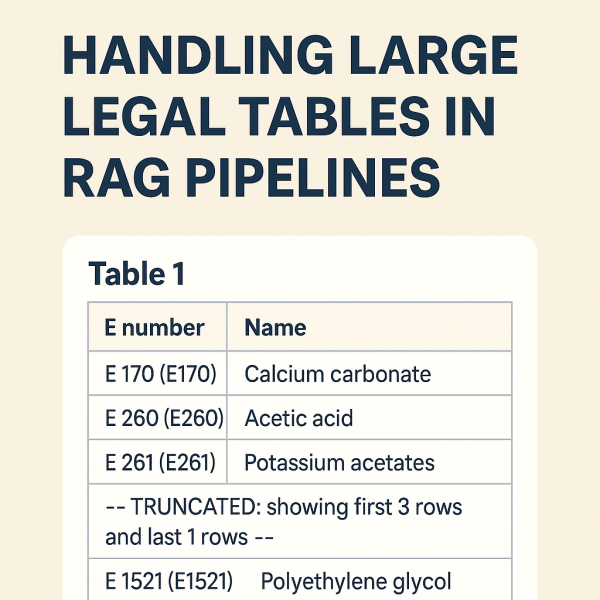
The table itself contains hundreds of rows like:
- E 170 — Calcium carbonate
- E 260 — Acetic acid
- E 261 — Potassium acetates
- …
What goes wrong in many pipelines
- The table heading (“Table 1”) is detected as a section.
- The actual
<table>element is ignored or stored separately. - Embeddings are generated from the heading text only.
Result:
Embedding text length: 7
Embedding content: "Table 1"
The data exists visually—but not semantically.
Design Goals
We defined a few non-negotiable goals:
- The table must be searchable
Queries like “E170 calcium carbonate” must hit the table. - IDs must be stable and human-readable
ANNEX_III_PART_6_TABLE_1is better than_TBL0. - Structured data must be preserved
We want JSON rows for precise answering, not just text. - Embeddings must stay within limits
Some tables have hundreds of rows.


 RaspeR87's Blog